See the shape of your code.
Working memory holds a handful of things at once. A codebase holds thousands: files, functions, the calls between them, the events that set them running. Reading it line by line, the structure has to be rebuilt in your head every time — and that is where understanding stalls.
CodeWeb draws that structure for you. Any folder or repository becomes a map you can take in at a glance, organized by what holds what and sized by how much it holds. Open a single file and it lays out its own parts — functions, classes, rules, handlers — with the relationships between them made visible instead of remembered.
It reads HTML, CSS and JavaScript, C and C++ (Arduino sketches included), Rust, Python, Java, Swift and Lua — straight from the source, with nothing to install or configure.
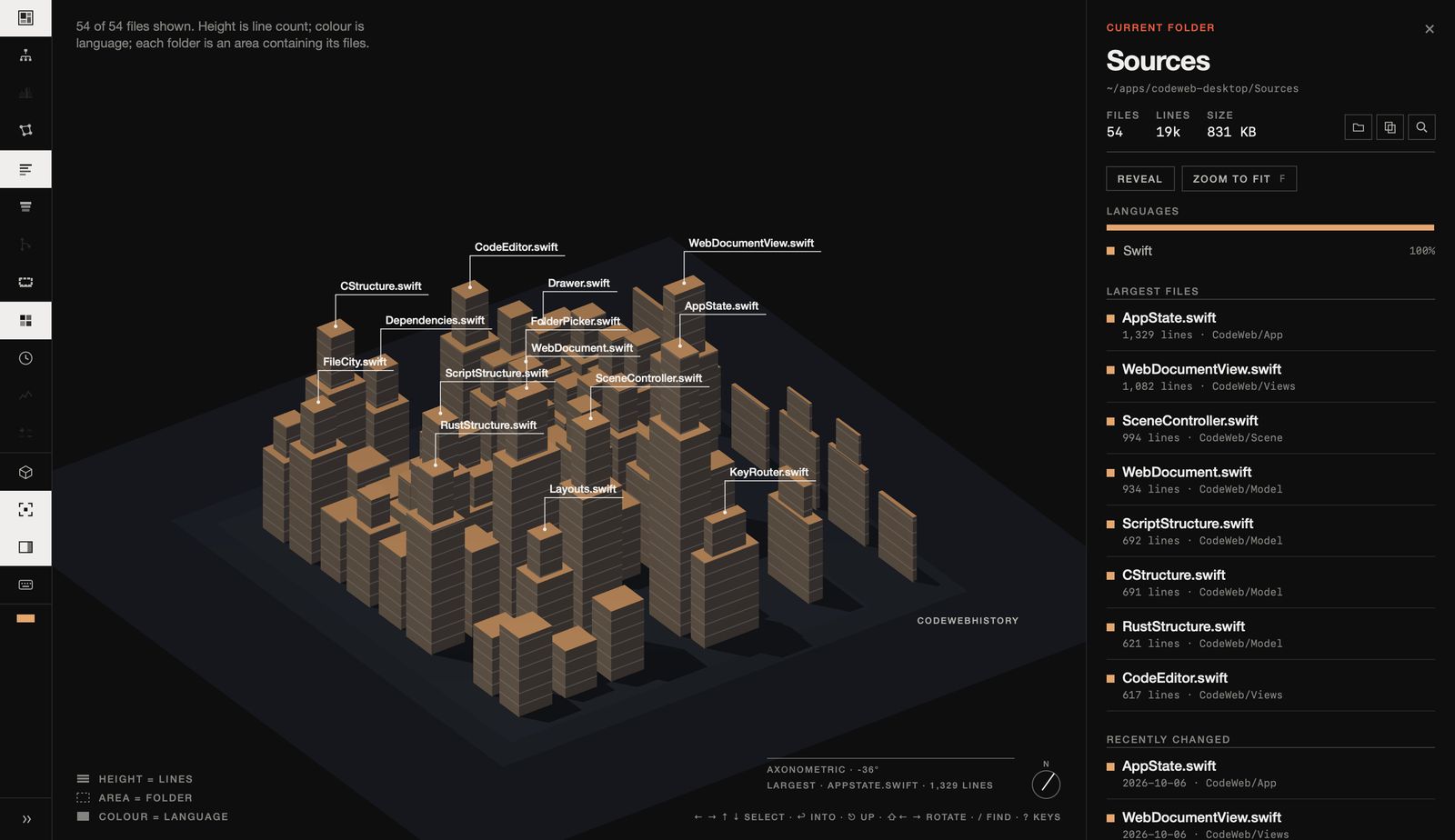
The whole project, at a glance.
Every file in its place, grouped by folder, sized by lines. Where the weight of a project sits, what changed recently and what changes most — visible before you open anything. Crowded folders fold away so the overview stays readable.
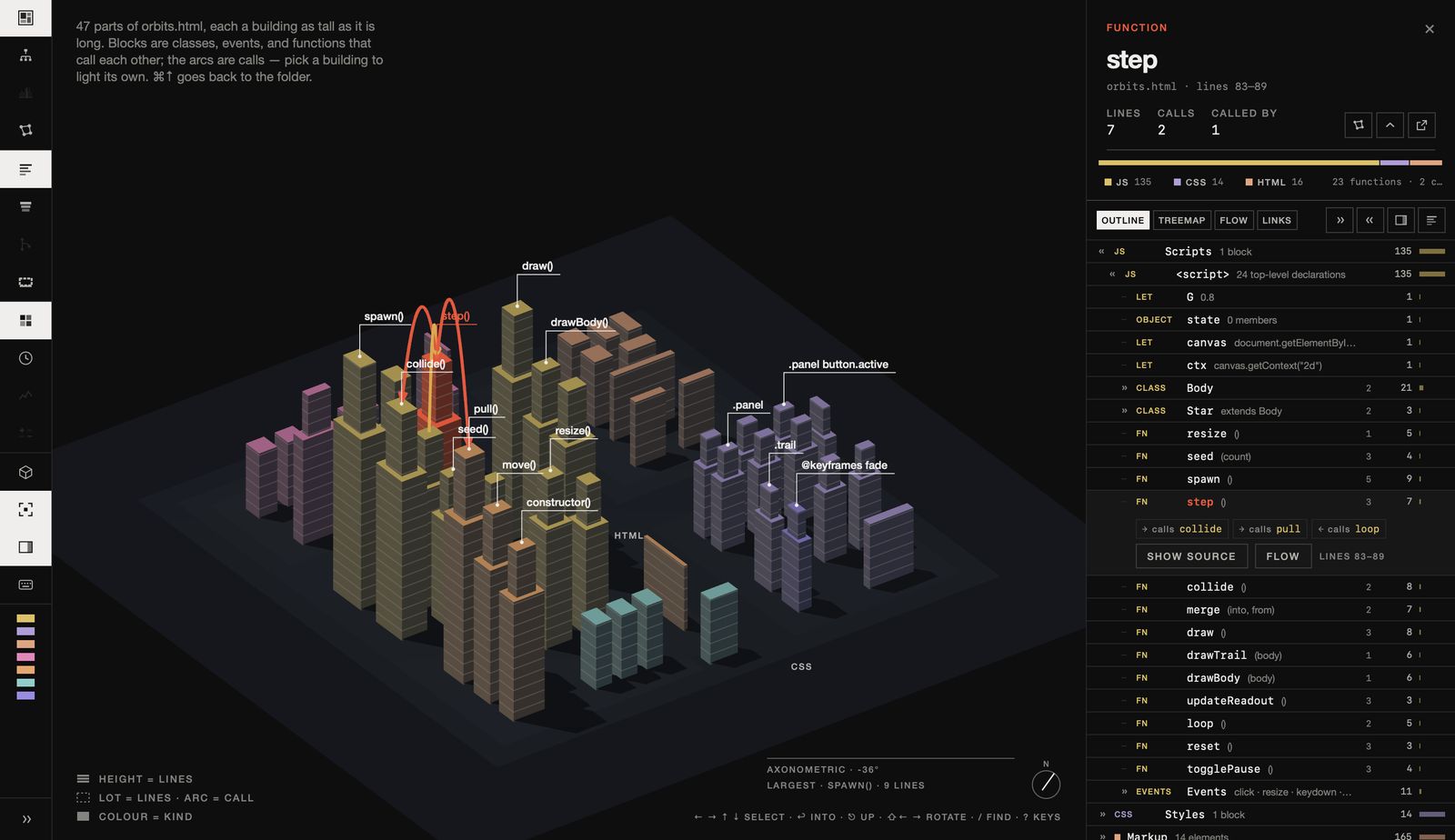
One file, taken apart.
A long file is a list until you can see its parts. Classes, namespaces and modules become groups; functions that work together are placed together; event handlers, interrupts, routes and tests are gathered where you can find them.
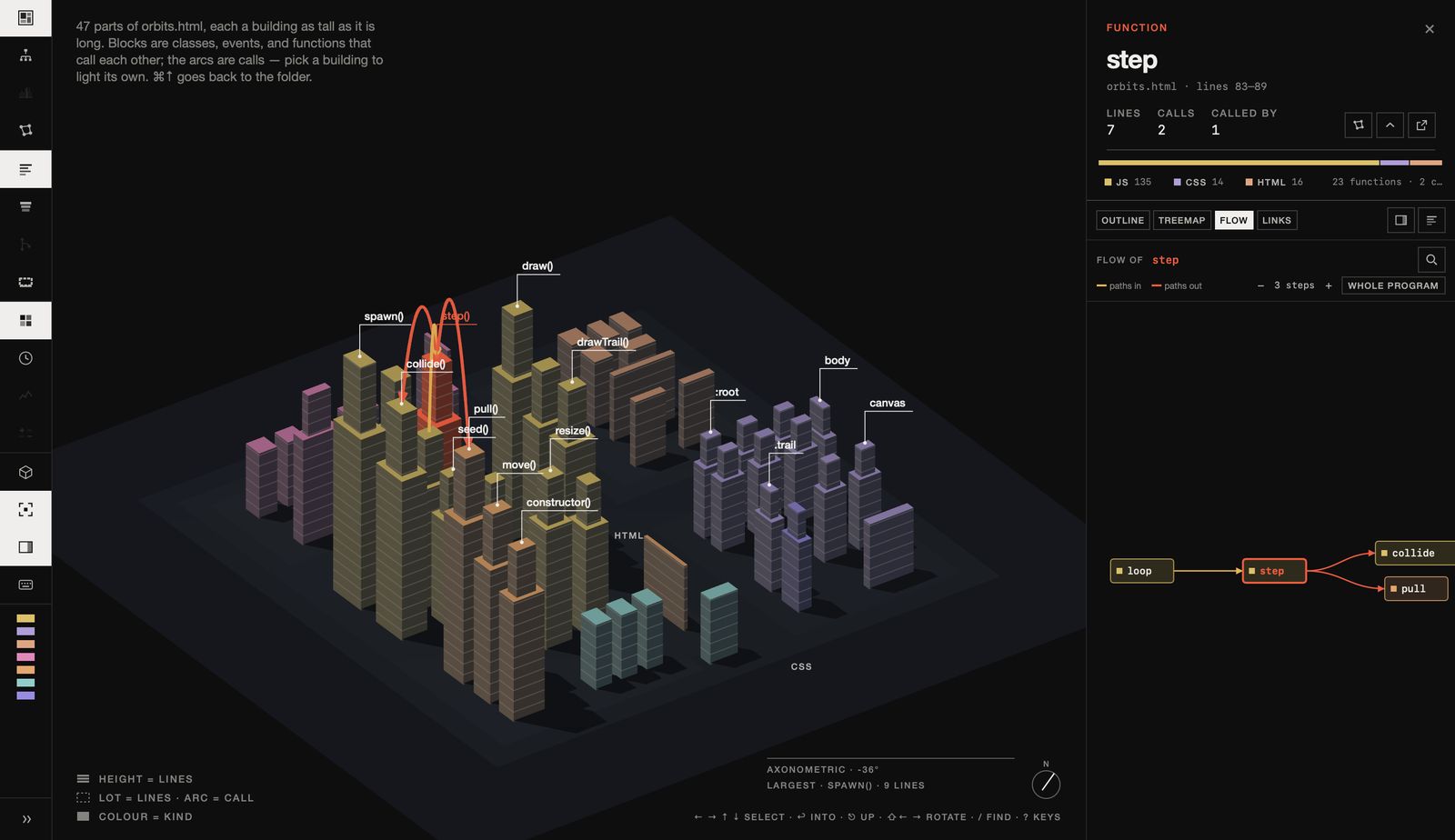
Follow what runs what.
The order of execution, drawn left to right — or centred on a single function, with every path that leads to it and every path that leaves it. The question "what happens when this runs?" answered without tracing it by hand.
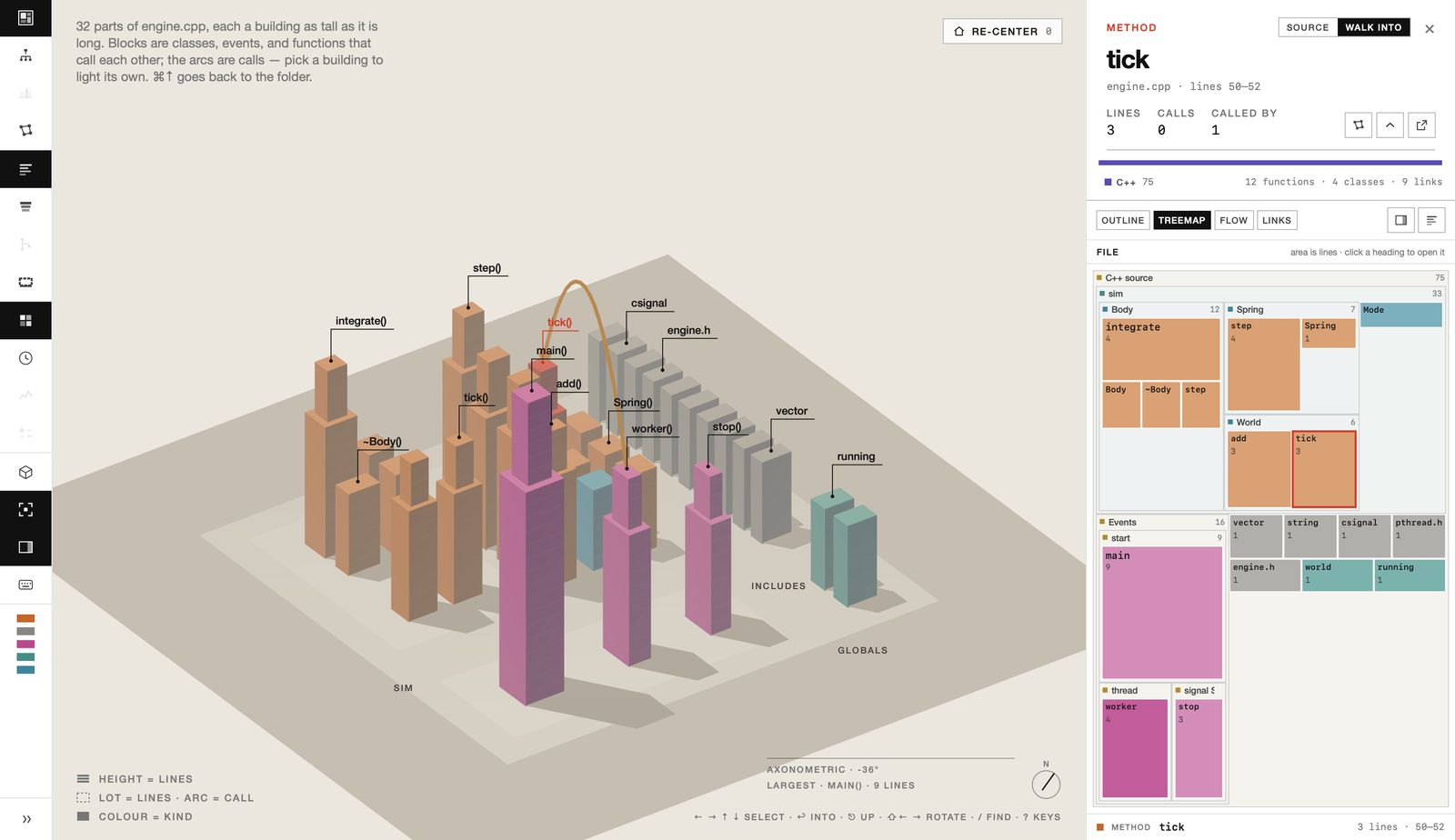
Several ways to read the same code.
An outline you can walk with the arrow keys, a treemap sized by lines, the flow of calls, and a map of what references what. Every name in the source links to where it is defined.
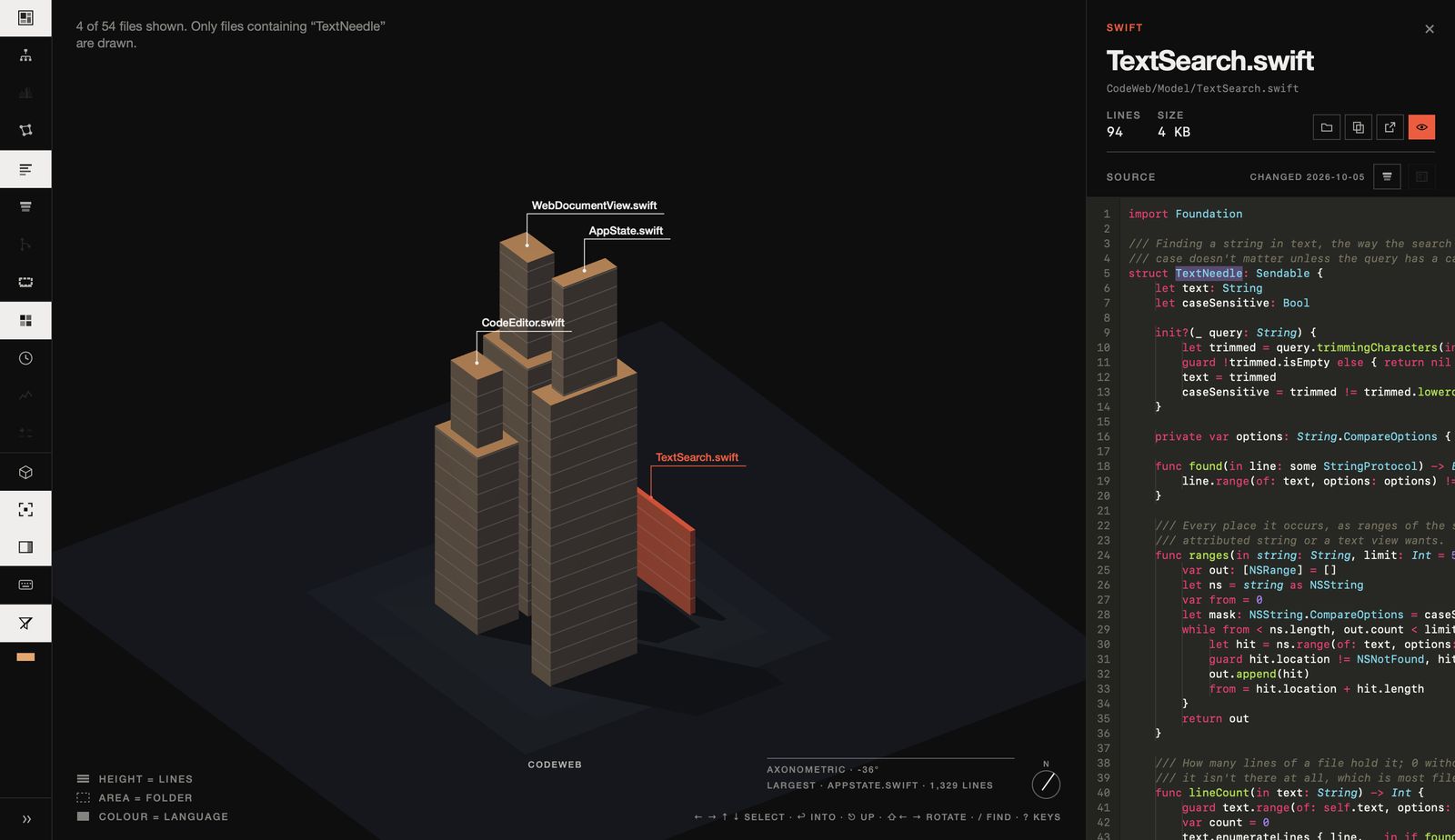
Narrow the view to what matters.
Search by name or through the text itself, and everything that doesn't match steps aside. The view re-organizes around what you found, the outline shows the matching lines, and the editor marks every hit.
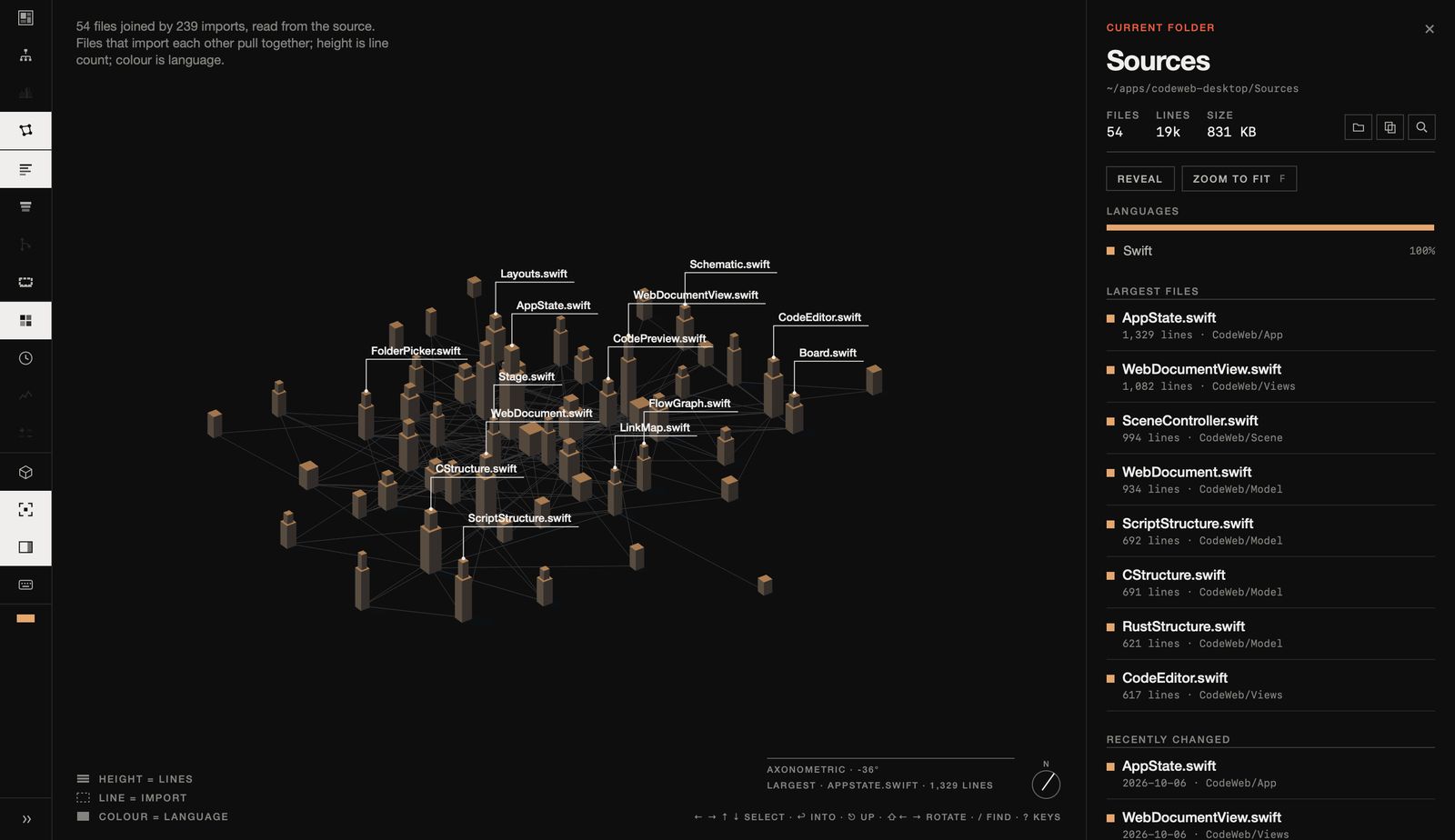
See what depends on what.
Imports read straight out of the source of a dozen languages. Files that rely on each other are drawn together, so the real architecture shows — not the one the folder names suggest.
History
Replay a repository commit by commit and watch its structure take shape; open any file as it was at that moment.
Straight from GitHub
Paste a repository address and it is cloned and opened — code and full history.
Hardware too
KiCad schematics and boards drawn as drawings, STL meshes as solids, STEP models as wireframes.
Keyboard first
/ find · ⌘⇧F text · ↩ open a file · ⌘↑ back out · G outline, treemap, flow, links
Native & local
A Mac app, not a web page: nothing leaves your machine, and a repository of tens of thousands of files stays fluid.
Light & dark
Both themes, axonometric or perspective, and full screen with ⌃⌘F.
Opening it the first time
The alpha isn't notarized by Apple yet, so macOS will say it can't check the developer. Drag CodeWeb to Applications, open it once, then go to System Settings › Privacy & Security and choose Open Anyway. After that it opens like any other app.
Or, in Terminal: xattr -dr com.apple.quarantine /Applications/CodeWeb.app